Showing posts with label Tricks. Show all posts

Tuesday, July 24, 2012

Top Most Common Passwords that can be Hacked


We generally don't get care about our password. We are posting the most common passwords that can be hacked easily. IF your password is in this list we will suggest you to change it also see how you can secure your account and how to create a STRONG password.


1. 1234
2. 987654321
3. 951753654
4. 951753
5. 000007
6. ASDFGH
7. QWERTYUIOP
8. ZXCVBNM
9. Your Name
10. Princess
11. Attitude
12. what i am
13. Date of Birth
14. Mother's Name/Father's Name
15. Cool+ (Your Name)
16. Phone Number


These are the most common passwords and hackers can easily hack it, our aim is to secure our users.


How can I make My Password Strong?

This is a very imp. question for every social networking users. Hackers target your accounts and websites don't click on links and always look on your browser URL.
We are giving you some hints use it and secure password

What to Use in Password?

1. Use alphabet small/BIG (use both)
2. Use number 1,2,3,4,5,6,7,8,9,0
3. Use symbols @,#,$,%,^,&,* (Important)

Example if your Name is - Andrew

You can use @NDrew445

This is the strongest passwords and it's too hard to hack such type of passwords. Make a good sense and don't tell everyone about your E-MAIL address. If you like this like , share and comment please!
Read More

Wednesday, July 18, 2012

Make Fake Notifications and Messages - Amazing FB Trick


Hye geek lovers Today in our Post we will give a tutorial to create fake notification and fake message, this trick is one of my favorite trick to impress your friends. The trick is based on Inspect element. I will suggest you to perform it in Google Chrome. See every step carefully and follow it, for any query comment below.


Step 1 = Login to your account. Right Click on Notification Bar and Click on Inspect Element


Step 2 =  After Clicking on inspect element you will see a box below with some codes. See snapshot for hint.


Step 3 = Right click on that area (inspect element codes) and Select Edit in edit section see the next step what to edit.


Step 4 = Change the Value to 10000 or 100000000 and click on any blank side of your account. That's it enjoy this trick give a snap to other Friends and impress them.
If you like it please comment and share.


Do the same trick with messages to change its value.
Read More

Friday, July 13, 2012

Post in Multiple (Groups, Pages, Wall, Timeline) in one Click


Hello facebookers Unicornix adding another post in Facebook Tricks.  This trick is very important in the sense of promotions. For promotion we used to post in multiple groups, timeline, friends wall and pages and have to do it so many times worth wasting time.
      So in this trick you can see the tutorial to how to post in multiple groups, Pages, timeline, wall in just single click.


Step 1 - Click Here you will be redirected to the website


Step 2 - Click on Connect if you were already logged in you will be redirected to authorize the app and login with facebook if not then you have to first login and then allow the application.


Step 3 - If you were not login then login.


Step 4 - Allow the application and you will be redirected to the app which look like this.


Type the message, links and other stuff of your promotion and also note the tricks are for educational purpose. We will be waiting for your comments and shares. 

Read More

Sunday, July 1, 2012

Facebook New 'Want' button

Facebook world largest social networking site to be launch soon
'Want button' as well.
          Report says Facebook is working on its new want button.
Facebook want button as predicted
After it will installed in the website then would enable Facebook to gather more information what the users like and what they want.
     Facebook is working more and more to attract more user.
Who knows soon we they will introduce other buttons.


Report says the button will be launched soon this year and will allow user what they Want and what they Like.
Read More

Thursday, June 28, 2012

New Google+ Events

I Don't know why but my attendance in Google plus is much than Facebook. Today When i opened it, i saw a new stuff which was Google+ Events.


As everyone was expecting Google+ event will be pretty much similar to Facebook but the reality says it is far ahead from anything else.
   The good advantage part of Google plus event is that you don't need a Google+ account. You can easily invite them through E-mail and they'll have access to the events page as normal. This may some how will sway them to join our site.


The theme is just awesome, it really add reality and as mentioned no social networking site can compare with Google + event. You can change the animated theme of your choice.

The most interesting feature is the ''Party Mode'' and it automatically brings together all your Favorite pics that is taken by the guest. In this way Google+ give you the party visual effect

How to create Events in Google+?
                            
                                     
                    Click on the Above picture you will be redirected to Google +

After you will redirected Login to Google + and Click on Create Event.


 A New pop will display, enter all the details and that's it You are with your friends.
  
Please like,share,comment,subscribe if you like this post


Read More

Saturday, May 26, 2012

Find Your PC is Male or Female

Interesting? Too easy it is i think would take about 2 minutes
Step 1 => Open Notepad
Step 2 => Now type the code give Below
     
                    CreateObject("SAPI.SpVoice").Speak"i love you"


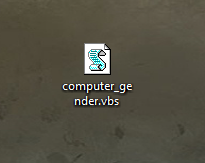
Step 2 => Now save the file as computer_gender.vbs


Step 3 => Double Click and Run it


If you hear a male voice, your computer is a 

male and if you hear a female voice then your 

computer is a female. 

Comment below let us know.
Read More

© 2012 Unicornix, AllRightsReserved.

Designed by Unicornix